AI Agents Have an Isolation Problem
Security researcher Simon Willison identified what he calls the “lethal trifecta” of AI agent risk: simultaneous access to private data, the ability to communicate externally, and processing of untrusted content. Most agent frameworks today combine all three on your host machine, with full access to your filesystem, credentials, and shell.
The pattern is familiar: install a framework, give it your API keys, and let it run bash commands as your user. It works, until a prompt injection in a fetched webpage tells the agent to cat ~/.ssh/id_rsa, or a malicious community plugin harvests your AWS credentials. In the past year, security researchers have documented exposed API keys and OAuth tokens from agent frameworks leaking to the public internet, remote code execution vulnerabilities, and malicious marketplace integrations containing credential-stealing code.
The root cause is architectural: A single process running on your host with your user’s permissions has access to everything you do. No amount of application-level permission prompts can fully contain that.
Hydra takes a different approach.
What Is Hydra?
Hydra is an AI agent framework where every agent runs inside an isolated Docker container. Rather than prompting you to approve each file access or shell command, Hydra inverts the model: agents start with nothing and only see what you explicitly grant.
There are two ways to interact with your agents:
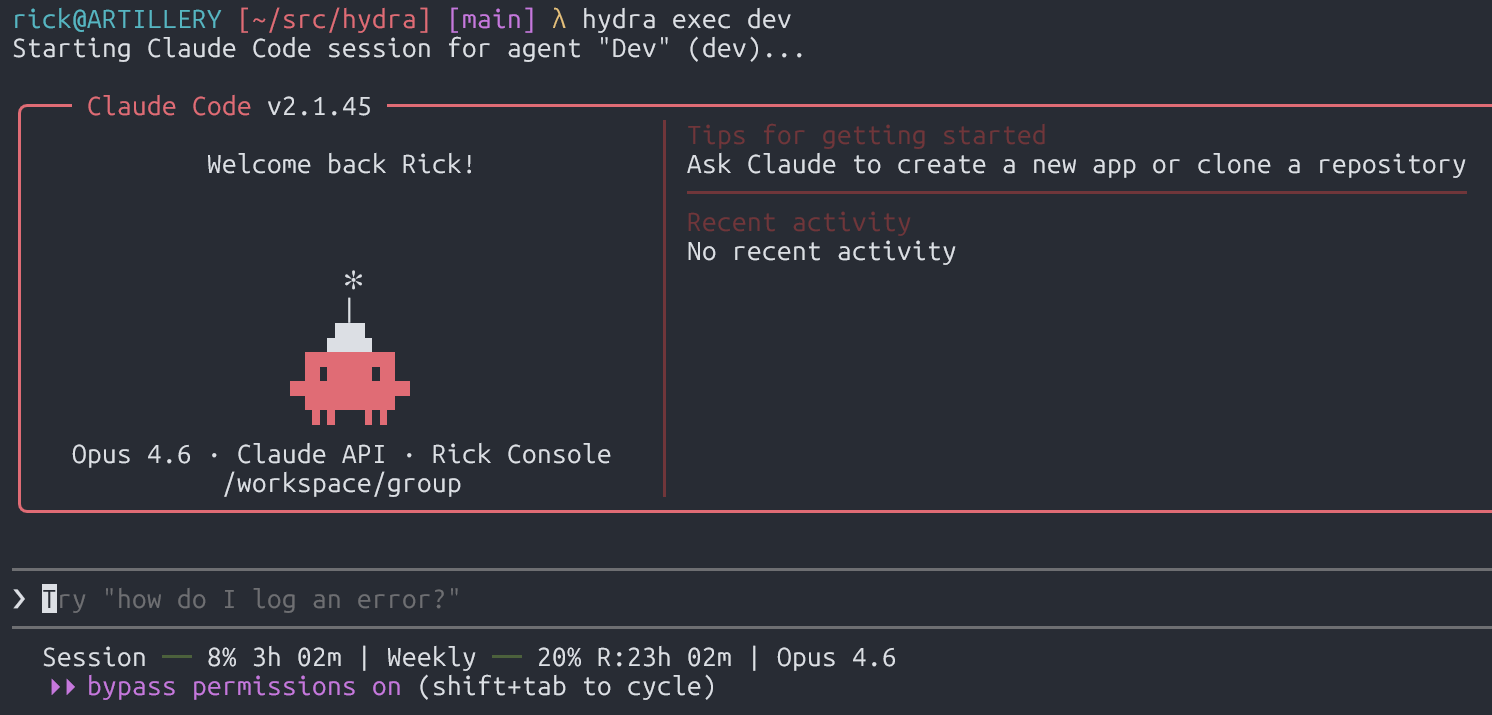
Direct sessions (hydra exec) — The default. You get a full interactive Claude Code terminal session inside the agent’s container. Your TTY passes through directly; there’s no intermediary service, no message serialization, no third-party conversation storage. You work with Claude Code exactly as you normally would, but inside a sandbox with only the files and credentials you’ve declared.
Orchestrated sessions — For automation. A host process receives messages from Telegram (or other channels), spawns agent containers to handle them, and routes responses back. Agents communicate with the orchestrator through filesystem-based IPC: JSON files written to per-agent directories that the host polls and validates. This is how you set up always-on assistants for group chats or scheduled tasks.
In both modes, the security model is the same: containers are ephemeral, filesystems are empty by default, and access requires explicit configuration.
How Isolation Works
Filesystem: The Two-File Mount Model
This is the core of Hydra’s security design. Every mount requires agreement between two independent config files:
| File | Location | Purpose | Accessible to agents? |
|---|---|---|---|
hydra.yaml |
Project directory | Declares what an agent requests | Potentially (if project root is mounted) |
mount-allowlist.json |
~/.config/hydra/ |
Declares what’s permitted | Never. Not mounted into any container |
Both must agree for a mount to succeed. If an agent somehow modifies hydra.yaml to request access to ~/.ssh, it doesn’t matter, the external allowlist won’t permit it. If the allowlist file doesn’t exist at all, all additional mounts are blocked. Fail closed.
A minimal agent config looks like this:
|
|
This agent sees ~/projects/api and nothing else. Your home directory, SSH keys, cloud credentials, other projects do not exist from the agent’s perspective. Attempts to access host paths return “not found.”
On top of the two-file model, a set of patterns is blocked by default regardless of configuration: .ssh, .gnupg, .aws, .env, credentials, private_key, and others. Symlinks are resolved before validation to prevent path traversal. Non-main agents are forced read-only even if the allowlist root permits writes.
Container Security: Defense in Depth
Docker containers share the host kernel, and container escapes, while rare, are real (CVE-2024-21626, Leaky Vessels). Hydra doesn’t pretend otherwise. Instead, it layers defenses so that even a container escape has limited value:
- Non-root execution — Agents run as an unprivileged
nodeuser (uid 1000), not your host user. - Ephemeral containers — Every session starts fresh and is destroyed on exit. There’s no persistent state to compromise.
- No Docker API access — The orchestrator communicates with Docker through a socket proxy that explicitly blocks exec, network manipulation, volume creation, and secret access. An agent cannot use Docker to escape its own container or interfere with others.
- Minimal mounted surface — Even if an attacker escapes the container, they land as an unprivileged user on a host where the interesting files (credentials, config, other projects) were never mounted in the first place. The two-file mount model means the blast radius is limited to what you explicitly declared.
The key insight: container isolation isn’t the only wall. It’s one layer. The mount allowlist, the blocked patterns, the socket proxy, and the ephemeral lifecycle all work together. An attacker would need to chain a container escape, a privilege escalation, and then independently locate sensitive files that were never part of the container’s mount table.
Multi-Agent Privilege Separation
Hydra supports multiple agents with different privilege levels. The “main” agent can orchestrate tasks, route messages, and register new agents. Non-main agents are restricted: they can only access their own workspace, message their own chat, and schedule their own tasks.
Each agent gets:
- Its own filesystem containing only its workspace and declared mounts
- A separate Claude Code session history
- An independent vector memory collection
- Its own IPC namespace: a dedicated directory that only it can write to
The host validates every IPC request against the source agent’s identity, which is enforced by mount isolation: each container can only write to its own IPC directory because that’s the only one mounted. Non-main agents attempting cross-group operations are rejected and logged.
Network Access
Agent containers currently have unrestricted outbound network access by default. This is a deliberate tradeoff. Agents frequently need to fetch documentation, clone repos, call APIs, and perform additional research. Hydra’s security model prioritizes filesystem and privilege isolation over network egress filtering.
That said, the network mode is configurable per-agent (bridge or host). If your threat model requires network isolation, you would need to restrict egress traffic to all hosts except for your LLM api server (anthropic, bedrock, etc), but that would require additional network infrastructure that hydra does not currently provide.
Secrets
Secrets live in ~/.config/hydra/secrets.env, outside the project directory and never mounted into containers. Only declared environment variables are injected at container spawn time, so agents only receive the credentials they need. API keys and tokens not explicitly configured for an agent don’t exist in its environment.
One limitation: Claude Code authentication credentials must be accessible inside the container for the agent to function. This means an agent could discover its own Claude API key through bash or file operations. We’d welcome contributions on credential isolation approaches that avoid this.
Why Not Just Run on the Host?
To make this concrete, here’s what a host-based agent framework exposes versus what Hydra exposes:
| Resource | Host-based agent | Hydra agent |
|---|---|---|
~/.ssh/* |
Readable | Doesn’t exist |
~/.aws/credentials |
Readable | Doesn’t exist |
| Other projects | Readable | Doesn’t exist |
| Host shell | Full access | Containerized shell |
| Environment variables | All inherited | Only declared secrets |
| Filesystem after exit | Modified | Destroyed |
When frameworks like OpenClaw run agents as a single Node.js process with full host access, every integration and every community plugin operates with your user’s complete permissions. The 21,000+ exposed instances leaking API keys documented by BitSight, the RCE vulnerabilities, and the malicious marketplace skills containing credential stealers are all because the agent runs without isolation.
Hydra’s position is that these aren’t problems you solve with better permission prompts. You solve them by never granting the access in the first place.
Who Should Use Hydra
If your threat model includes any of the following, container isolation isn’t optional:
- Agents touching customer data or PII
- Access to proprietary source code
- Environments with cloud credentials (AWS, GCP, Azure)
- Multi-user setups where different people interact with different agents
- Anyone who’s ever run
envin a terminal and been uncomfortable with what they saw
If you’re running a personal assistant on a throwaway machine with no sensitive credentials and you understand the risks, host-based frameworks may be fine for your threat model. But the moment agents touch anything you can’t afford to leak, agent isolation is necessary.
Getting Started With Hydra
|
|
The /setup skill walks you through creating hydra.yaml, configuring your API keys, setting up agents, and building the container image. From there, hydra exec main drops you into your first isolated Claude Code session.
Once you have an agent setup, you can interact with it using the hydra cli:
|
|
The race to ship AI agents has consistently outpaced the effort to contain them. I have personally discovered multiple privilege escalation vulnerabilities in AWS and GCP around their AI services. We need to focus on security before we start giving LLMs our secrets and letting them control our systems. Security first, agents second.